Manage facilities, bookings, and visitors
Orbit is a Norway-based start-up connecting owners of empty offices with professionals who are looking for co-working spaces. They want to change the way the office works through their app and user platform.
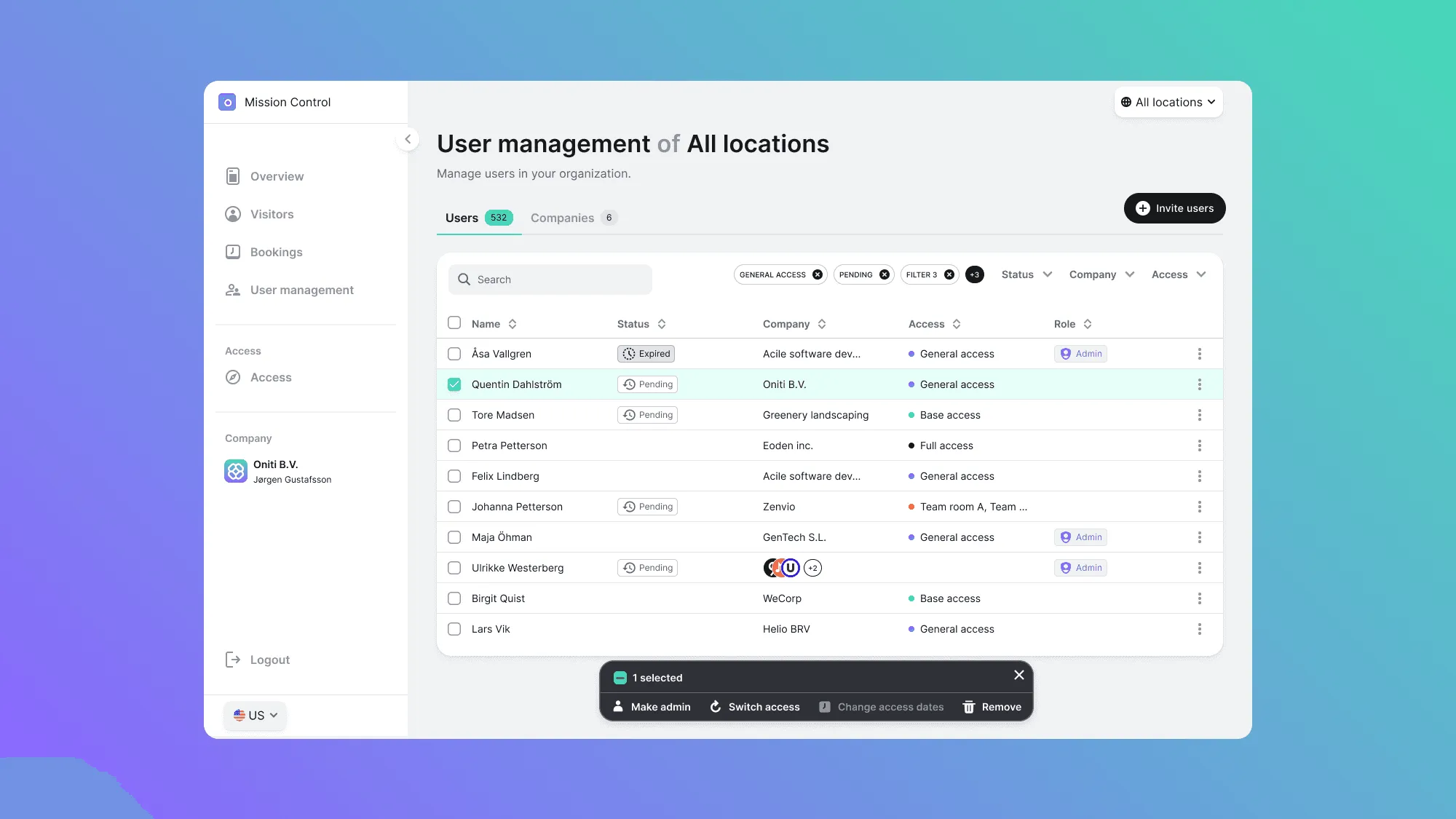
Problem statement
How can we help space providers to manage user access to their facilities?
My role
I was the product designer on Mission Control, working with a product manager, a UX researcher and the developers.
- I helped the UX researcher run the user interviews.
- I applied what we learned by iterating on the designs, including the confirmation screens.
- I added enhancements to the user management page.
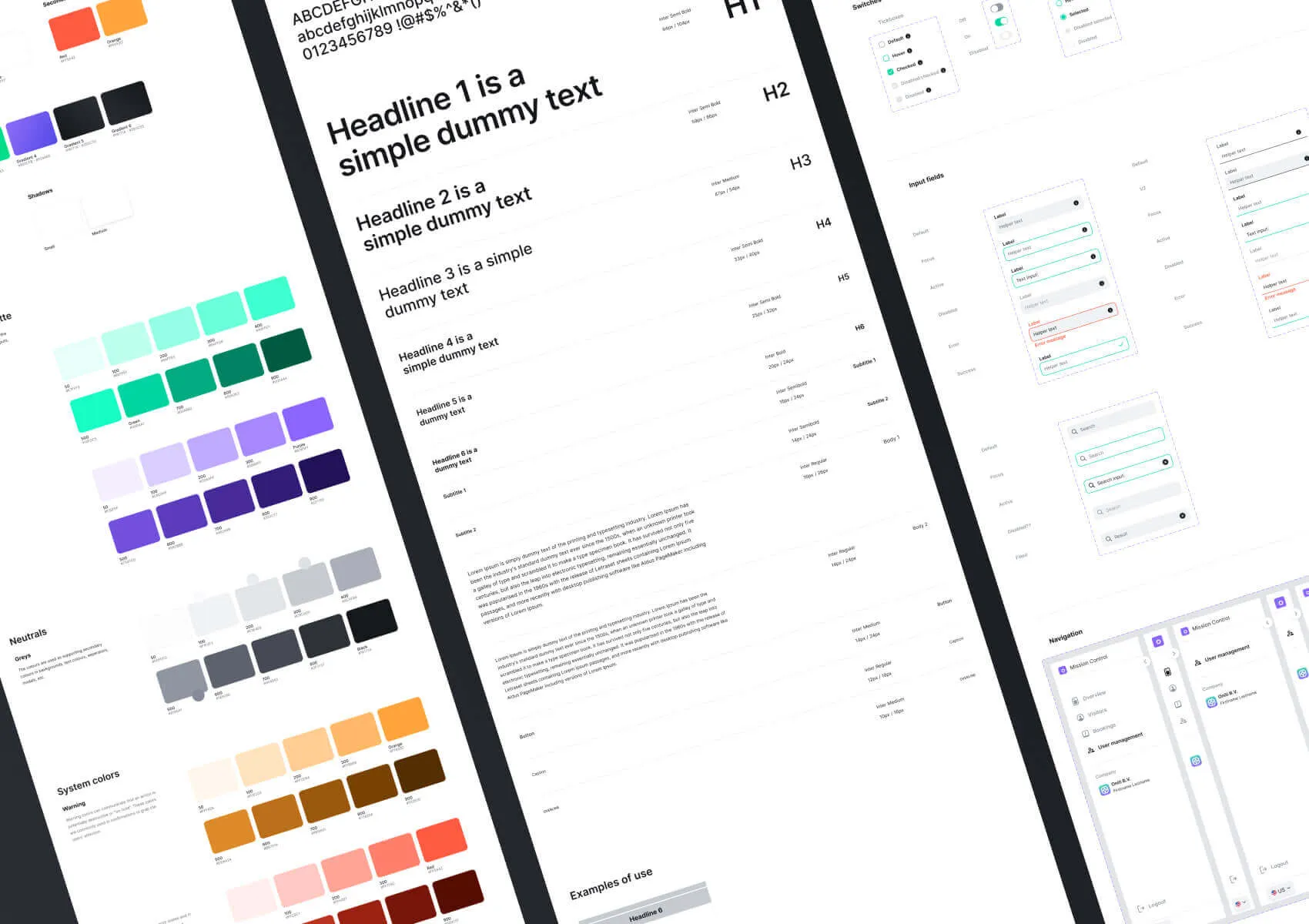
- I expanded the design system with new components and variants for the new sections.
Research and analysis
The design process wasn’t straightforward, as we were exploring and defining overlapping concepts between various products. The first thing we as a team needed to settle on was how we would define terms such as access, and companies vs teams.
Redefining access
We had to redefine what “access” meant and how it was given. We inherited structures that we applied to the system in which companies were able to create teams, which in turn were directly linked to specific locations. The biggest problem occurred when users needed to have access to multiple locations, with the current set-up they needed to be placed in multiple teams which meant duplicated groups.
Creating new entities
When figuring out access we also needed to define who gets access and how we should grant that. In the previous situation, the space providers were in charge of inviting all the users to the app and granting access to each team. During the brainstorming sessions, we wanted to relieve pressure from the space providers and decided upon a more practical flow. The space provider should invite the whole company (new entity) and let the team administrator manage the rest of the invitations, that way the space provider is able to focus more on access.
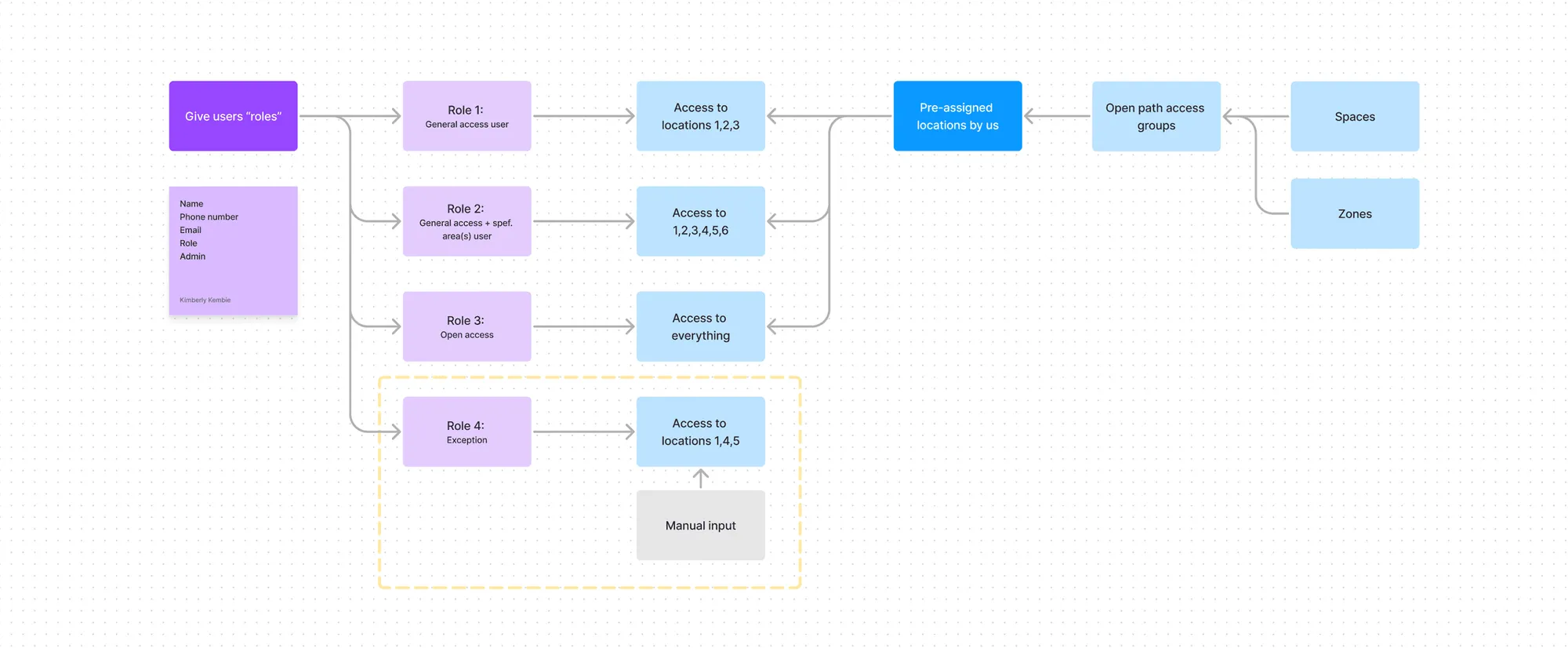
Wireframes & prototypes
I started to focus more on the visual structure and how we could make the user journey as smooth as possible. By creating wireframes and prototypes we (the product and dev team) were able to easily walk through the various concepts and wireframes to improve and expand upon, which let us create the first testable prototype.
Space provider/company level
- Can invite/remove companies
- Can give company access
- Access to other sections of Mission Control
Company admin/user level
- Can invite/remove users within their company
- Can give users access to their company’s locations
- Can manage their own teams
Testing
User testing needed to be done to verify if the new concepts were clear and if the flow would make sense to the user. Apart from that, it was also important for us to lay our assumptions to rest and discover other challenges that we might have overlooked.
Who we tested with
We ran 2 sessions with 4 participants, all property owners, the people who decide who gets access to their buildings. The UX researcher moderated them. Participants completed the flows, rated how difficult each one was and answered questions along the way.
The finding that went against our assumption. We assumed they would easily pick who to give access to. Instead it was a stressful moment: they wanted extra confirmation that they had selected the right person, because a wrong pick could give people who aren’t qualified far more access to their buildings than intended.
Analyzing the test sessions
During the sessions we took notes, then tagged and analysed them into insights that I used to improve the wireframes and flow.
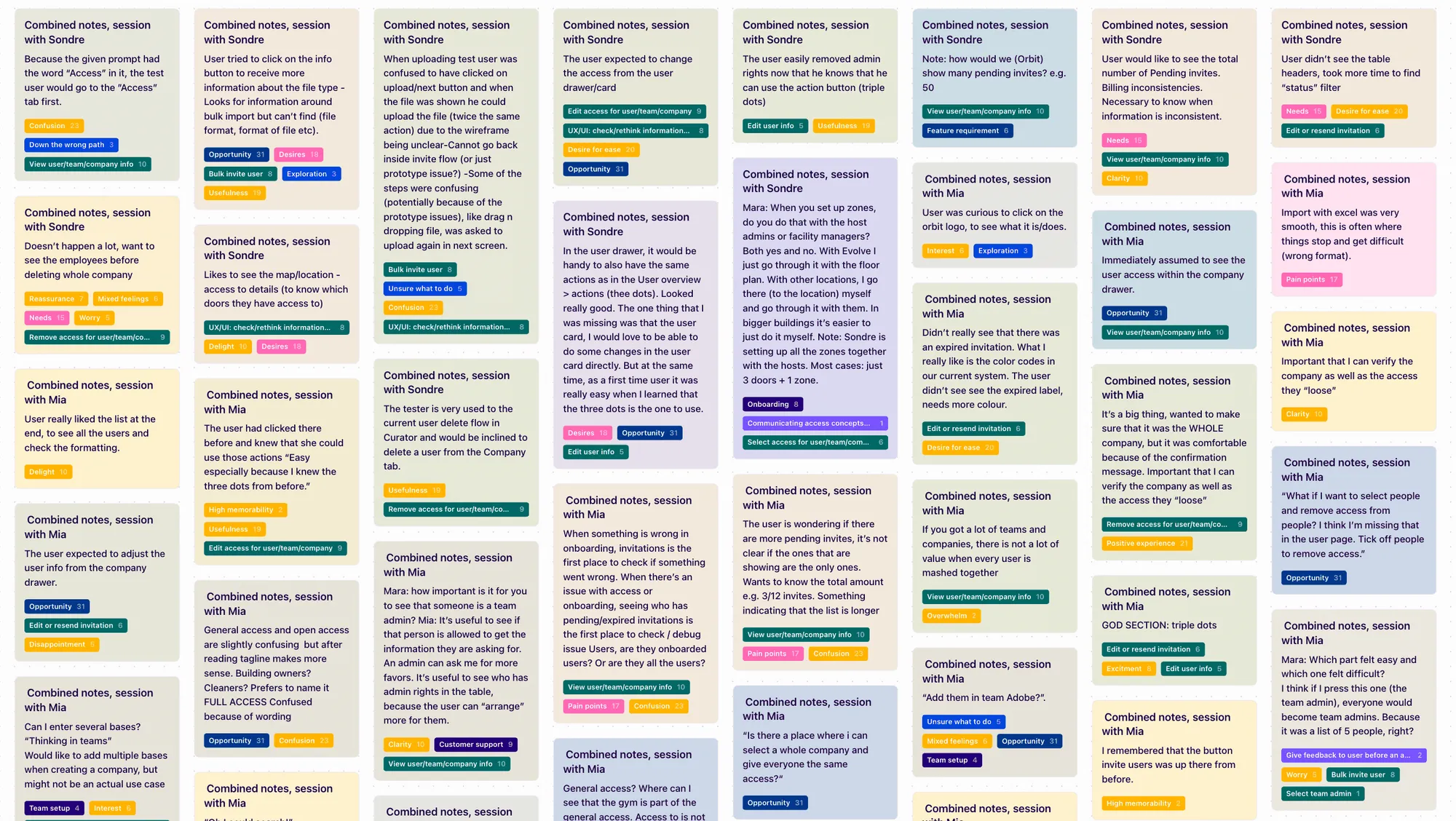
Main improvements that needed to be made:
- Host admins need to see and understand the accuracy of the info
- Reassurance before critical and bulk actions
- Access concepts needed to be clearer
Iterations
Access concepts
This aspect posed the greatest challenge for us, as it was the most significant change we wanted to make. During testing it became apparent that more information about the access packs was necessary.
Providing reassurance
Reassurance before critical and bulk actions was improved by switching the flow of the screens, repeating bulk information, and making the user confirm that the data being shown is correct.
Understanding information
During testing, some users weren’t confident following certain actions because the information was unclear. We added more tooltips and labels, changed the hierarchy, and noted where colours in the final design could influence the structure.
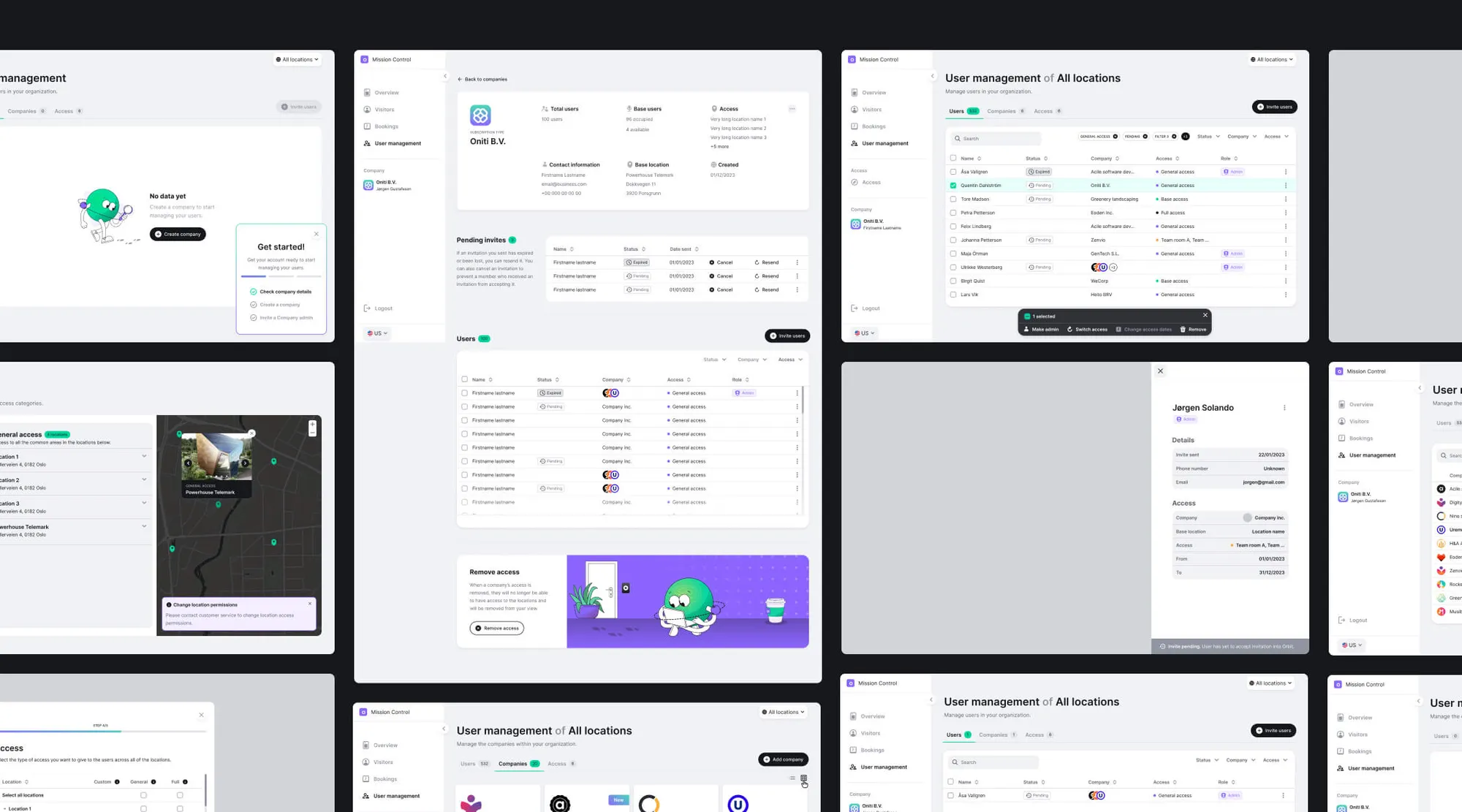
Final design
After many rounds of iterations and creating various options, the wireframes could finally be turned into high-definition designs, with the focus still on solid UX and UI and on improving accessibility.
Expanding on the design system
A design system was already set in place to streamline the design process and ensure brand integrity. Most components already existed, but the new sections of the portal needed new components and variants, and some existing ones needed improving.
Where it ended
Orbit closed as a company before the new Mission Control launched, so there’s no live data. The last round of user testing is where this work ended: people had hesitated before critical and bulk actions, so I added confirmation screens to give them the reassurance they needed.