Simplifying the financial client portal
Jadwa Investments is a leading Saudi investment management and advisory firm in the MENA region, offering its clients an expanding universe of Shariah-compliant investments.
Problem statement
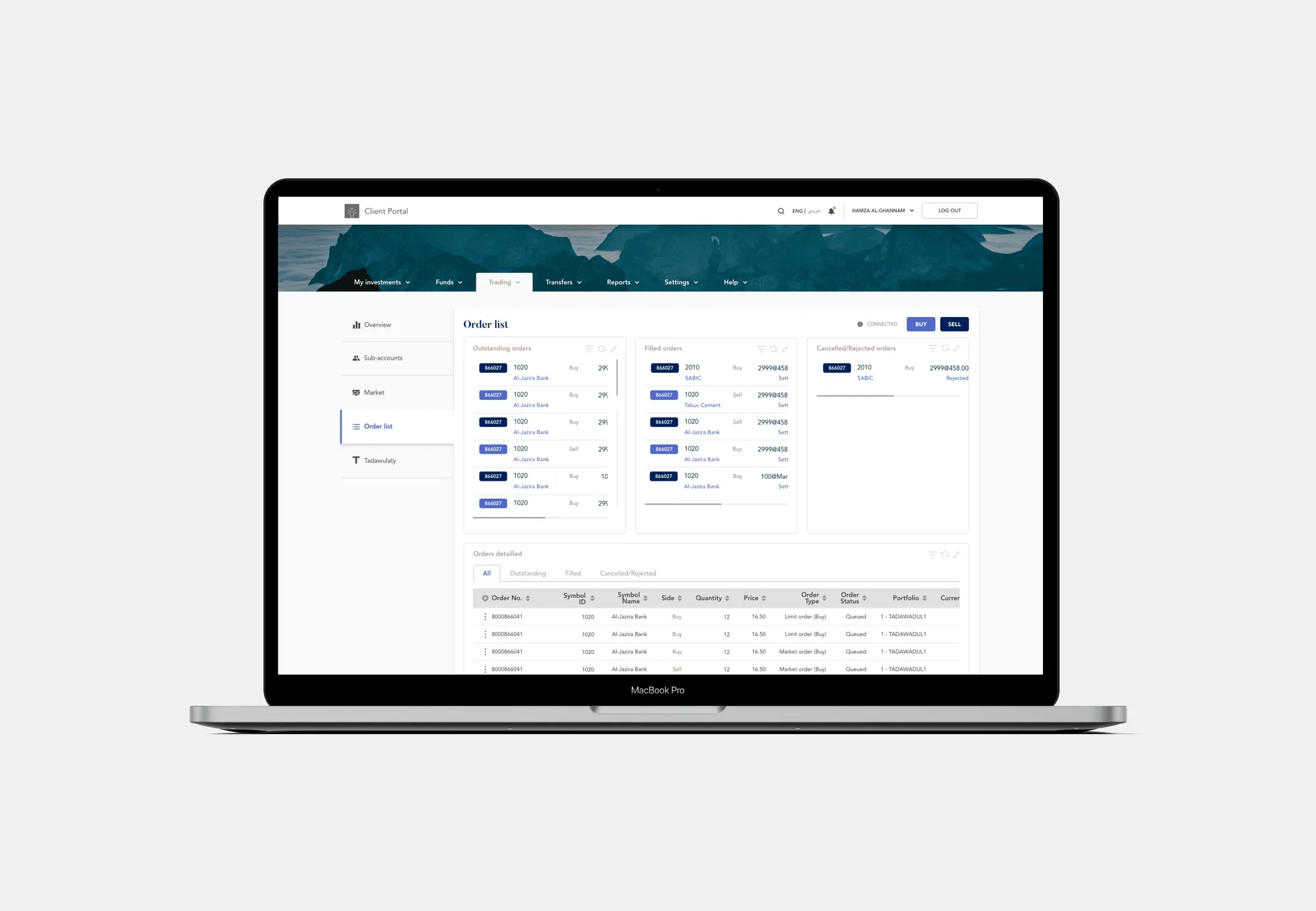
How might we build a dashboard to control funds, trade, manage portfolios and accounts in a clear and user-friendly way?
My role
I did this work at an agency, with no product manager on the project. I decided to simplify the navigation, grouping the pages under fewer, broader categories.
Research and analysis
The redesign included simplifying the steps, improving the visual aspect of the portal, structuring the information in a coherent way, and creating more clarity where necessary.
Problem space
The previous design was outdated and full of usability issues, which made managing investments complex. The portal had a steep learning curve: clients spent a long time figuring out how to follow their investments, find their asset breakdown and understand the graphs.
Project goals
We didn’t have direct access to users, so I designed around the wealth manager, the person who uses the portal most to manage clients’ investments.
- Goal #1 Follow portfolio activities
- Goal #2 Manage client/personal investments
- Goal #3 Trade
- Goal #4 Make transfers between accounts
- Goal #5 Look up reports from previous years
Priorities
Design audit
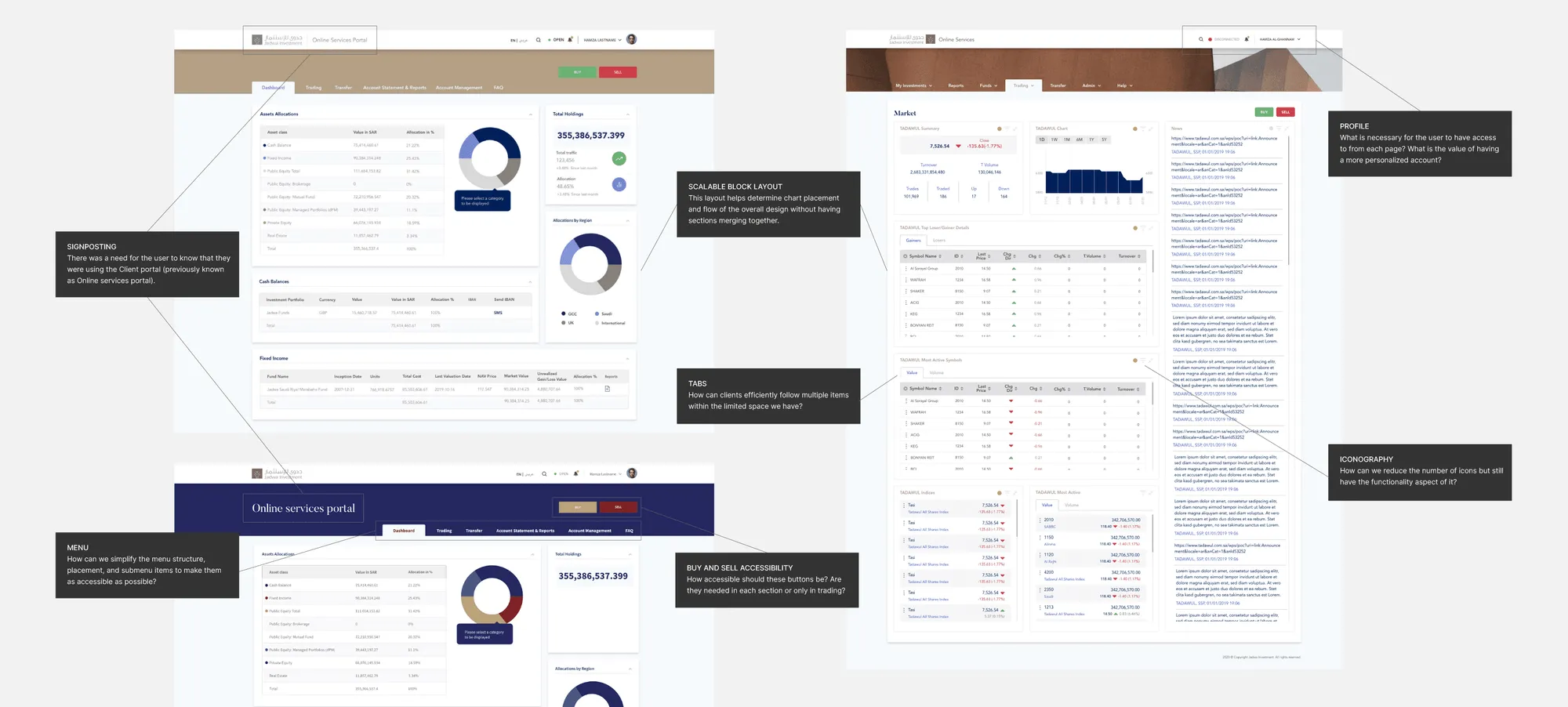
There were limitations when it came to the functionalities, as the new design was going to be built onto an existing structure. We had to maintain the same buttons and actions but were able to change the general layout.
Synthesize insights and feature priority
Once we had the context of the product and users, we were able to create a list of user problems, where the following points stood out.
- Improve menu structure and accessibility
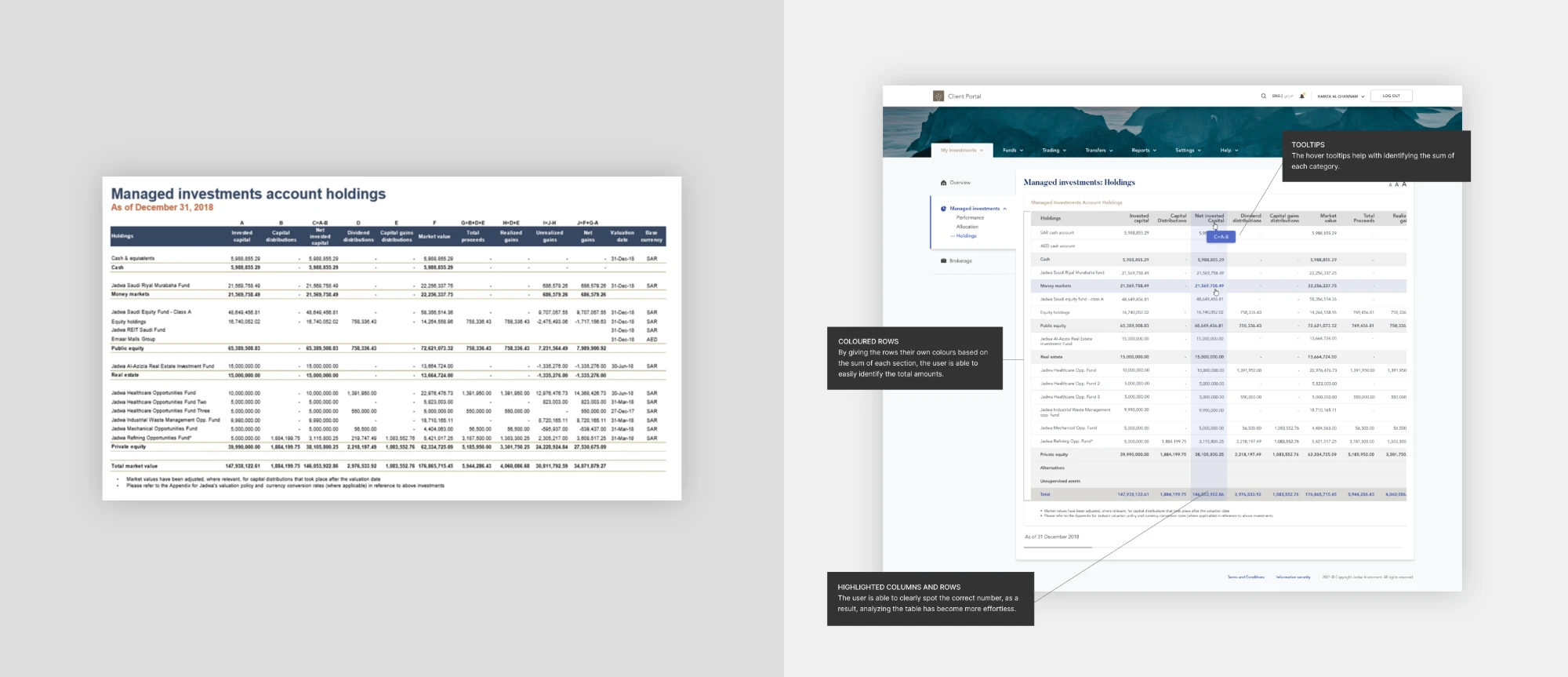
- Improve the functionality of the tables
- Improve page structure, and organize information in a digestible way
- Improve visual clarity
Concepts and testing
Explore concept designs
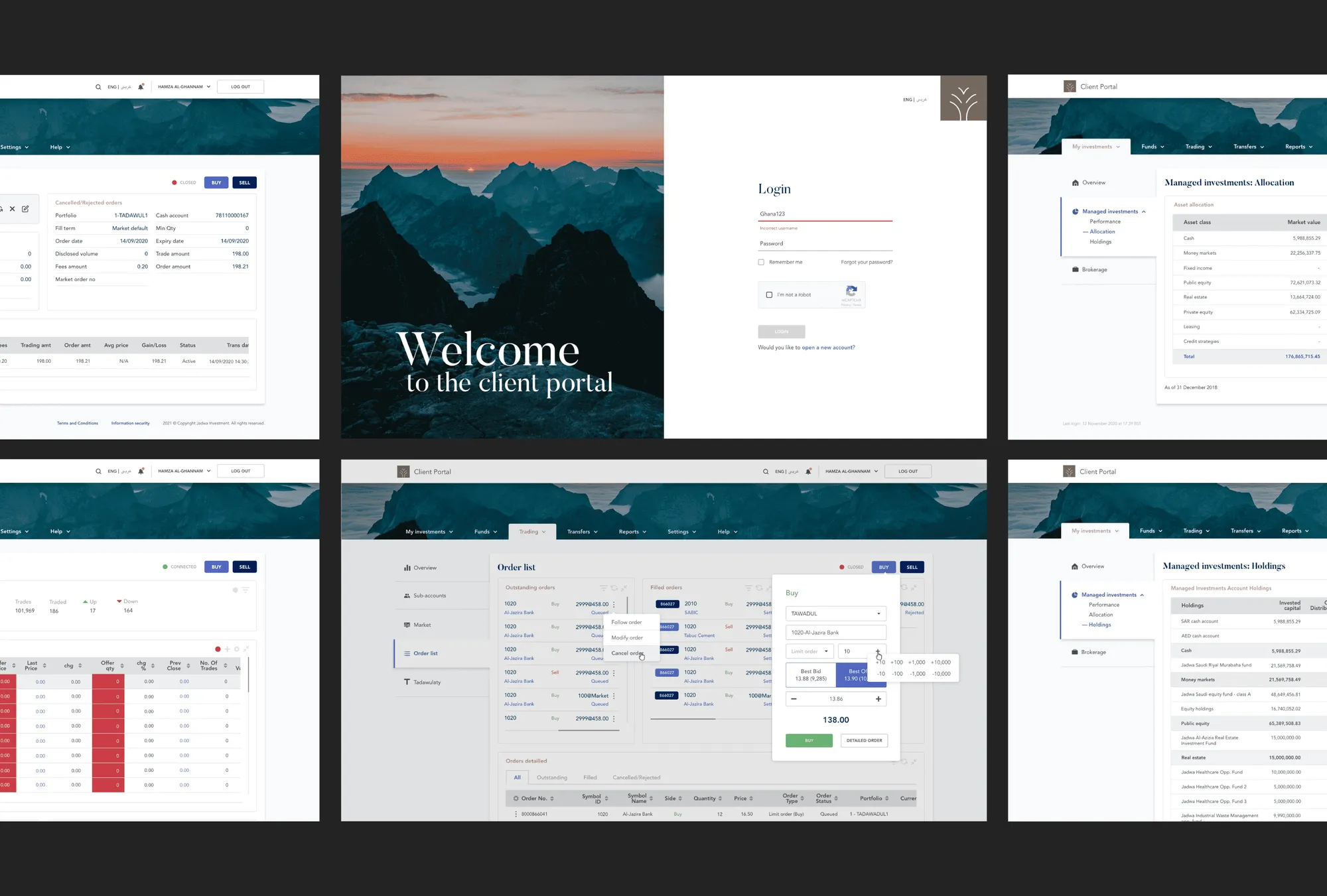
I shifted my attention to finding different solutions for the problems we came across. We were able to tackle bigger issues such as the menu structure, as well as minor ones that helped to create more clarity around complicated data. I designed in high fidelity from the start, because the designs were shared and improved with stakeholders throughout.
Testing and feedback
Without access to Jadwa’s clients, we tested internally and with four people from Jadwa’s marketing team. Their feedback led to these changes:
- Removed buy and sell buttons from some pages, to avoid unnecessary clutter
- Replaced the dropdown with a side menu
- Charts were tested in different colour combinations with the four of them. The winning combination was the one closest to Jadwa’s brand colours
- Simplified the user profile
- Added a prominent logout button for security
Final design
Delivery
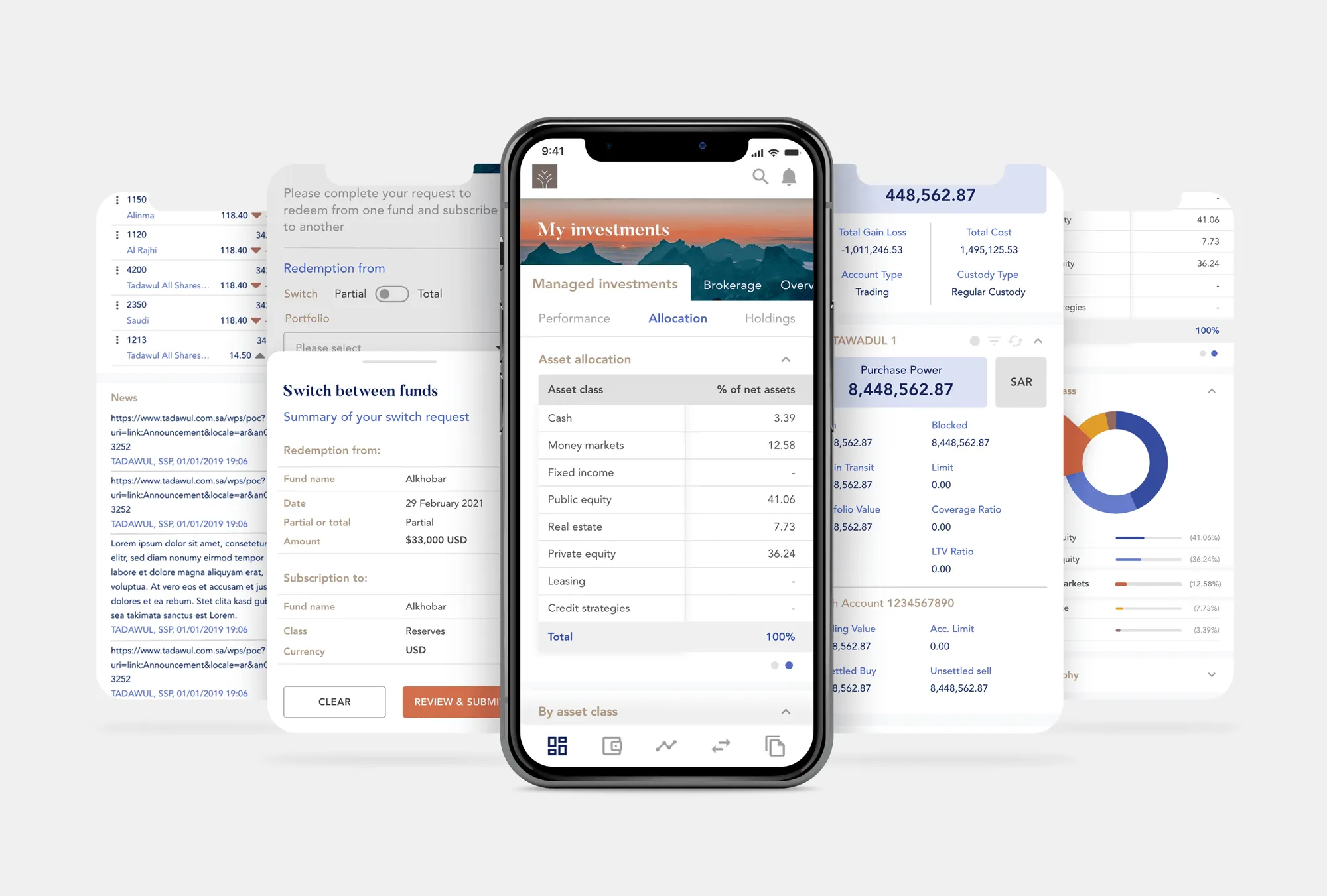
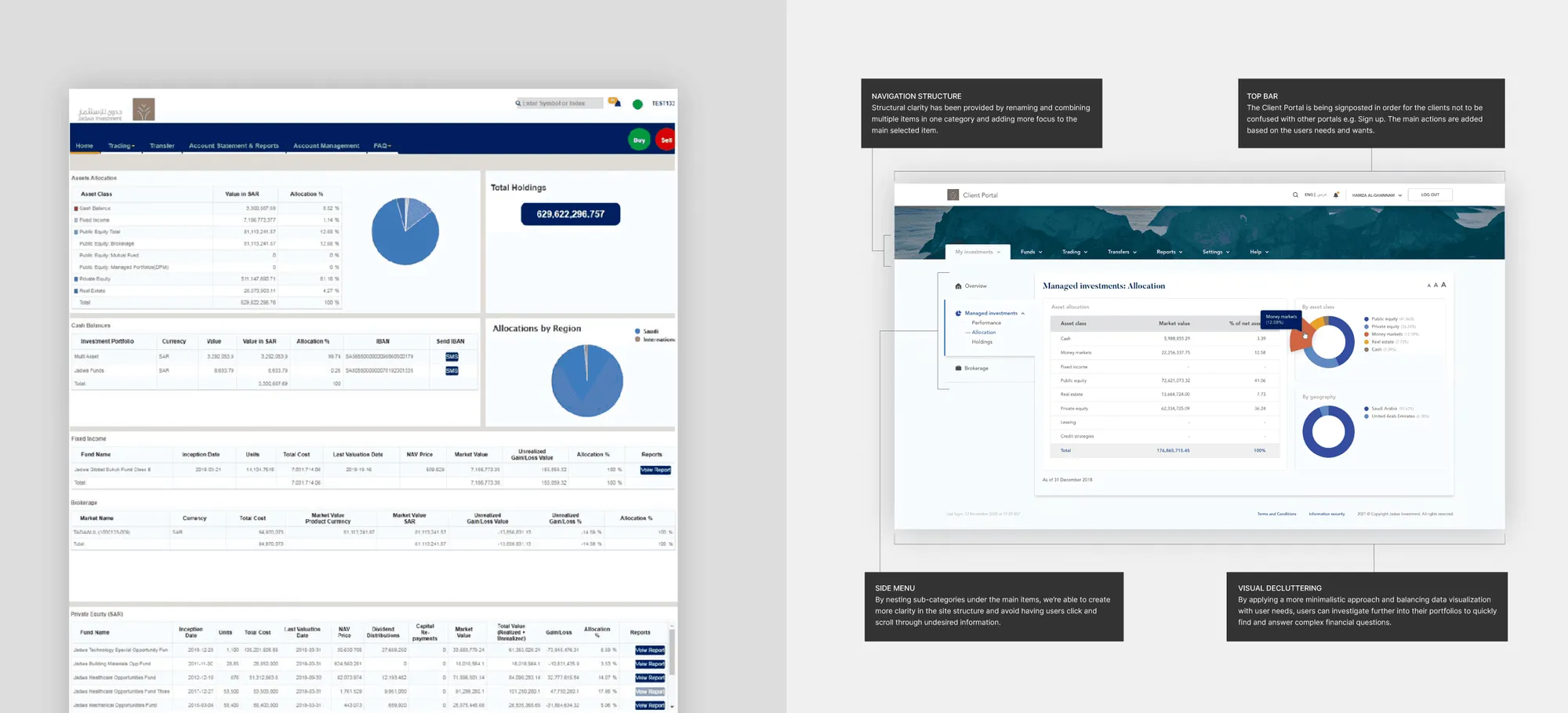
I modernized the user interface and reworked their internal menu structure. After the different explorations, I defined their visual style and designed a user interface that is easier to use and gives a clear overview of the data that is being displayed.
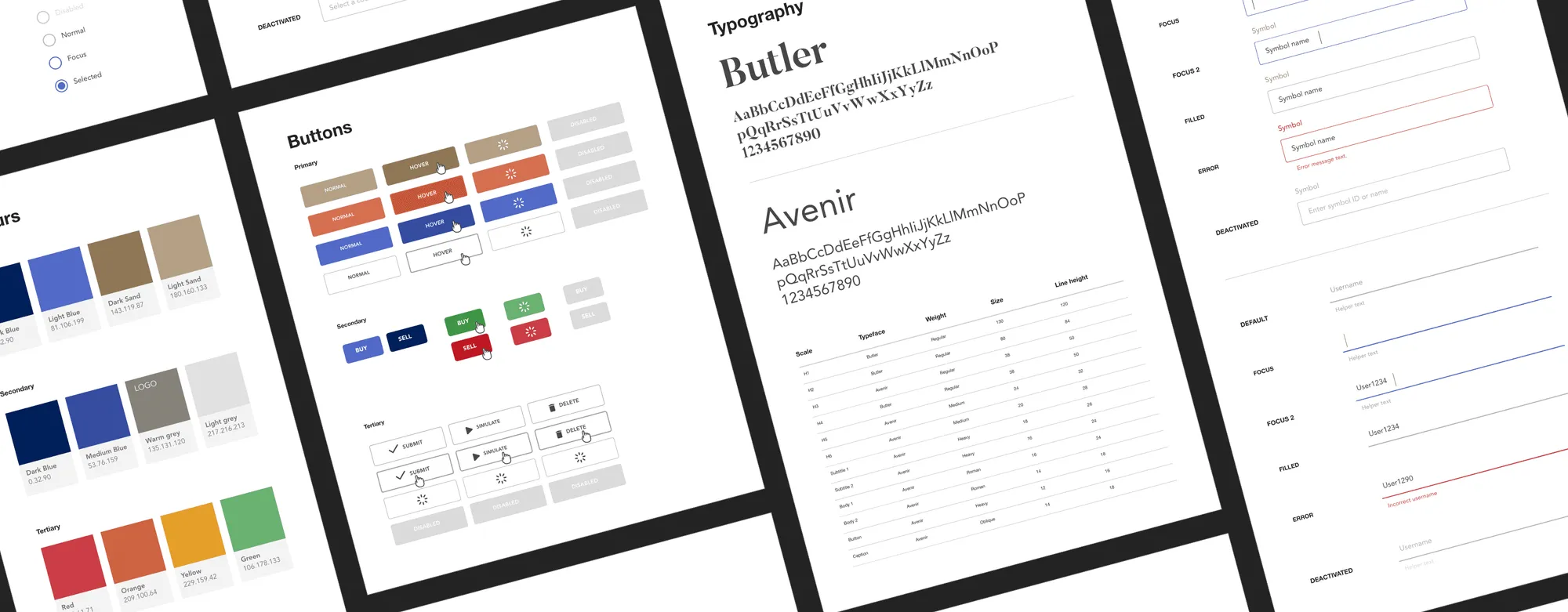
I also built the full design system behind it, and Jadwa still uses its components today.
In the examples above you can see a side-by-side of the improvements. The main improvements:
- Information structure
- Navigation
- Clearer graphs, colours and interactions
- Clearer tables that are easier to scan
- Visual decluttering